
Product Ad Design – Carousel or Multi-Page PDF
- Design a multi-panel product advertisement, formatted for either Instagram carousel or PDF layout
- Learn how to guide the viewer through a visual story across multiple slides
- Practice using visual rhythm, repetition, and consistency in layout design
Game play.blooket.com
Scripture
Philippians 2:4 (HCSB) – “Everyone should look out not only for his own interests, but also for the interests of others.”
Design that serves others starts with empathy. Before we think about colors, fonts, or layouts, we think about people. What are they struggling with? What do they need help understanding? Good design listens before it speaks. It asks, “How can this make someone’s life easier, clearer, or better?”
Yes, we absolutely can design to help people. Clear signage helps someone find their way. A simple website helps a small business survive. A clean flyer helps a family know where to get food, support, or community. That is design as service, not just sales.
So when we design, we are not just asking, “Will this sell?” We are asking, “Will this serve?” Philippians 2:4 reminds us that our creativity is not just about us. It is about using our skills to look out for others and to create with love, purpose, and responsibility.
Course Content
Mini Lesson – Ad Storytelling Across Slides
purpose of a carousel ad or PDF brochure:
- Each slide builds curiosity or shares new info
- Strong opening image or headline
- Consistent branding across all panels
- Clear call-to-action at the end
Examples of multi-panel ads:
- Instagram product carousels
- Facebook slideshow ads
- Mini PDF portfolios
- Sales or feature walk-throughs




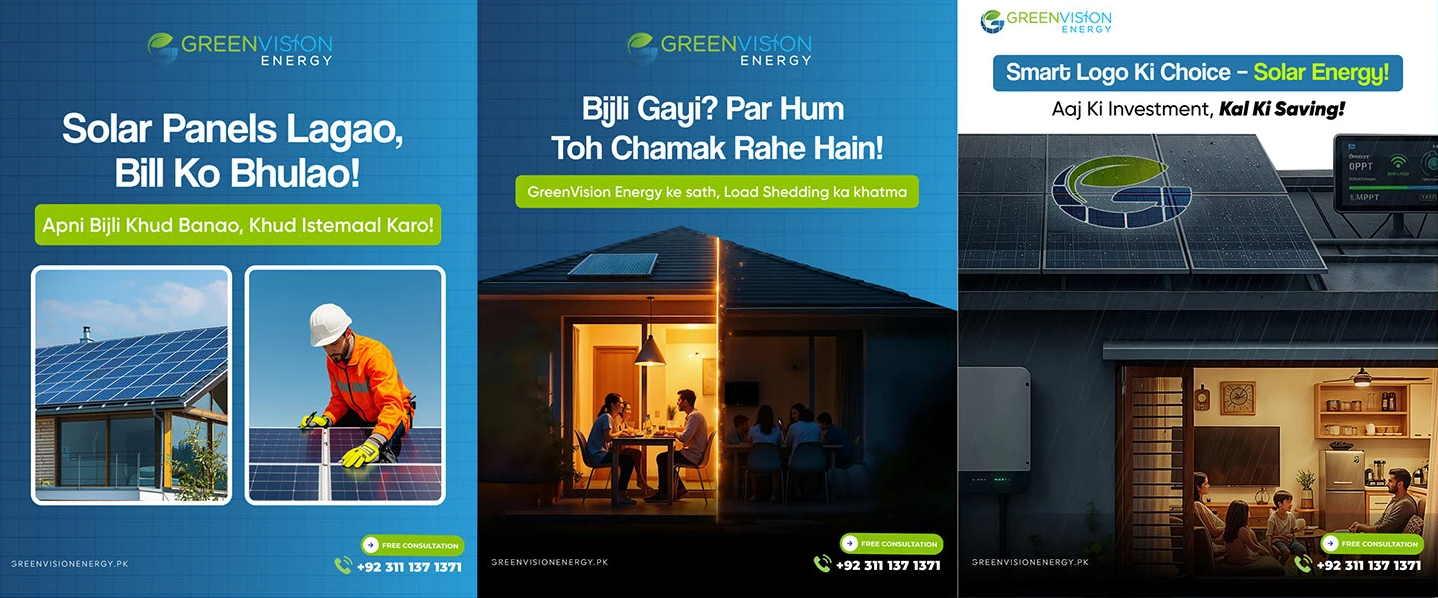
Slide-by-Slide Design
Create a 3- or 5-slide sequence using:
- Photoshop (separate artboards or documents)
- Or Illustrator (multiple pages or artboards)
Suggested slide flow:
- Cover Slide – Catchy headline + product
- Value Slide – What it does / why it’s great
- Feature Slide – 1–2 details or benefits
Cover Slide
This is the attention grabber. It should instantly communicate what the product is and why someone should care. The headline should be short, bold, and benefit-driven, not just a name. The product image should be the star. This slide answers the question, “Why should I stop and look at this?”
Value Slide
This slide explains the “why.” What problem does the product solve? How does it help the customer? This is where you connect emotionally and practically. The copy should be simple, clear, and focused on the user, not the company. This slide answers, “How does this improve my life?”
Feature Slide
Now you get specific. Highlight one or two strong details or benefits. Not everything, just the most important ones. This could be about quality, speed, comfort, sustainability, or ease of use. Use icons or short lines of text. This slide answers, “What makes this product different or better?”
Together, these slides move the viewer from interest, to understanding, to trust. It is not just about selling. It is about guiding someone through a clear, helpful story with design.
GAME
Your content goes here. Edit or remove this text inline or in the module Content settings. You can also style every aspect of this content in the module Design settings and even apply custom CSS to this text in the module Advanced settings.
Homework
- Submit your ad as either:
- 3–5 separate JPGs (Instagram carousel style), or
- 1 PDF (brochure or scroll-style ad)
- Reflect:
- “How did your design guide someone through your message?”
- “What would you improve or change next time?”